
Search Outagamie County Family Court Records
Outagamie County Family Court Records start with a docket search and then move to the Justice Center when you need the file itself. Wisconsin Circuit Court Access shows the public summary first, while the clerk office in Appleton keeps the official record trail and the copy process. That gives you a clean path. Confirm the case, check the parties, and then decide whether you need a certified copy, a file review, or a hearing question answered. For divorce, paternity, custody, placement, or support, the county and state resources point in the same direction.
Outagamie County Family Court Records Overview
WCCA at wcca.wicourts.gov is the public starting point for Outagamie County Family Court Records. Search by county, party name, or case number, then use the result to confirm whether the file is public, active, or already closed. The online docket can show the case number, filing date, case type, party names, and status, which is enough to keep you from guessing before you call or visit. It also helps when a family surname appears in more than one file. A clean search usually saves time before you ask the clerk to pull the paper record.
Outagamie County does not use a separate dedicated family court, so family matters are heard in the circuit court at the Justice Center in Appleton. That matters because the clerk office, the family court commissioner, and the self help office all touch the same family file. Outagamie County Family Court Records move through those offices, so it helps to know which desk is handling the exact piece you need.
The public record is still limited by Wisconsin law. Juvenile, sealed, and other confidential records do not appear in full online. That means WCCA is a roadmap, not the whole case file. When a matter turns on a signed order, a custody update, or a support change, the clerk office remains the best place to ask for the document itself.
How to Search Outagamie County Family Court Records
Start with the exact spelling you have. WCCA works best when you enter at least three letters, but a full party name is better when the name is common or when you are checking an older divorce. If you already know the case number, use that first. It narrows the result faster and helps the clerk find the right file. Outagamie County Family Court Records are easier to manage when the search is focused before you ask for a copy.
If you are filing a new family document, the statewide eFiling portal at efile.wicourts.gov is the official place for accepted electronic filings. Outagamie County allows eFiling and its family court commissioner office also handles divorce paperwork after the initial filing. Once a filing is accepted, it becomes part of the official court file. That is one reason the online docket and the office file work together instead of separately.
Wisconsin Chapter 767 is the core family law guide for divorce, paternity, custody, placement, and support in Outagamie County. It also explains the residency rule for divorce filings. Use the state forms page at wicourts.gov/forms1/circuit/index.htm when you need a new packet. That keeps the record search, the filing step, and the local court process lined up from the start.
Outagamie County Clerk, Commissioner, and Justice Center
The clerk contact page at outagamie.gov/Our-County/Courts/Clerk-of-Circuit-Courts lists Barb Bocik as the Outagamie County Clerk of Circuit Courts at 320 S. Walnut St., Appleton, WI 54911-5918, with the main phone at (920) 832-5131. The office handles civil, criminal, family, traffic, and ordinance records and also deals with the civil judgment and lien docket. That is the office that keeps the local record desk moving.
The family court commissioner page at outagamie.org/government/f-through-m/family-court-commissioner explains that the Family Court Commissioner handles divorce paperwork, custody and placement issues, mediation, and the free self help office. The office hours, self help hours, and filing instructions are unusually detailed, which is helpful when a family case needs a clear next step. Outagamie County Family Court Records often move through that office before they return to the circuit court docket.
Note: Outagamie County sends family law work through the circuit court and the family court commissioner, so the docket search, the filing office, and the self-help step all matter.
The county also points to a Family Court Program and treatment court resources through its law library page. That is useful because family cases can overlap with custody disputes, substance use issues, or parenting concerns that need mediation rather than just a clerk file. Knowing where each office fits helps the record search stay practical.
Outagamie County Family Court Records, Self Help, and Fees
The county self-help materials at outagamie.gov/files/assets/county/v/1/family-court-commissioner/documents/divorce-self-help-information.pdf are useful when you need the official divorce packet guidance without a lawyer. They explain the filing fees, the packet purchase option, and the fact that the office cannot give legal advice. That is a practical part of Outagamie County Family Court Records because the case often moves from a search request straight into a filing question.
The Wisconsin State Law Library Outagamie County page at wilawlibrary.gov/topics/county.php?c=Outagamie&a=a&l=l&f=f&r=r is another good official backup. It points to the family court program, child support agency, self help center, treatment courts, and mediation resources. Those office lines matter when a family case is tied to custody, placement, support, or another issue that needs more than a docket check.
Wisconsin Chapter 814 is the fee reference for copies and certifications. The county page and the self help materials also show the filing fee split of $184.50 or $194.50, depending on whether support or maintenance is requested. That keeps Outagamie County Family Court Records tied to both the record and the filing step.
The family court commissioner page also explains that after the initial filing, divorce paperwork goes back through that office, not just the clerk desk. That detail matters in Appleton because the Justice Center uses separate workflow points. If you are trying to keep the case moving, the safe approach is to search WCCA, file with the clerk, and then follow the commissioner instructions for the next stage.
Outagamie County Family Court Records and Local Help
The clerk page at outagamie.gov/Our-County/Courts/Clerk-of-Circuit-Courts is the safest county front door for Outagamie County Family Court Records.
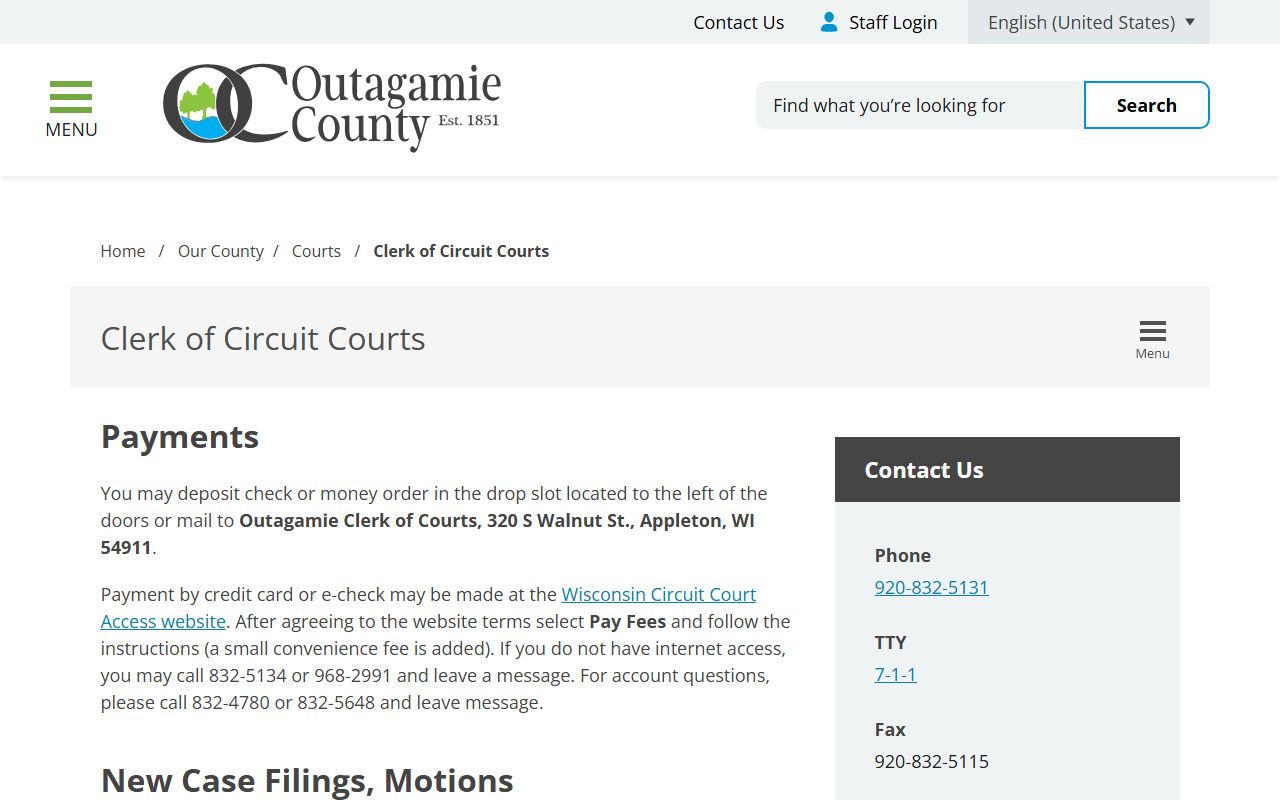
Use it when you want the office that keeps the file before you send a copy request or ask about case status.
The family court commissioner page at outagamie.org/government/f-through-m/family-court-commissioner is the better link when the family issue is active and you need the self-help or mediation side of the process. That page explains the free self help office, the volunteer family law clinic, and the custody and placement mediation path in plain county language.
For a final official cross-check, the Wisconsin State Law Library Outagamie County page at wilawlibrary.gov/topics/county.php?c=Outagamie&a=a&l=l&f=f&r=r ties together the clerk, family court commissioner, child support, self help, and treatment court contacts. It also gives the language assistance path through the clerk office, which is useful when a family file involves an interpreter request or other accommodation. Search WCCA first, use the clerk office in Appleton for the file, and use the family court commissioner when the issue turns into a filing or mediation question. That is the practical route for Outagamie County Family Court Records, and it keeps the work local from start to finish.